Ancestry: Family History & DNA
- 4.6
- Rating
- 10.00M
- Installs
- Free
- Price

 Analysis by App-foxy
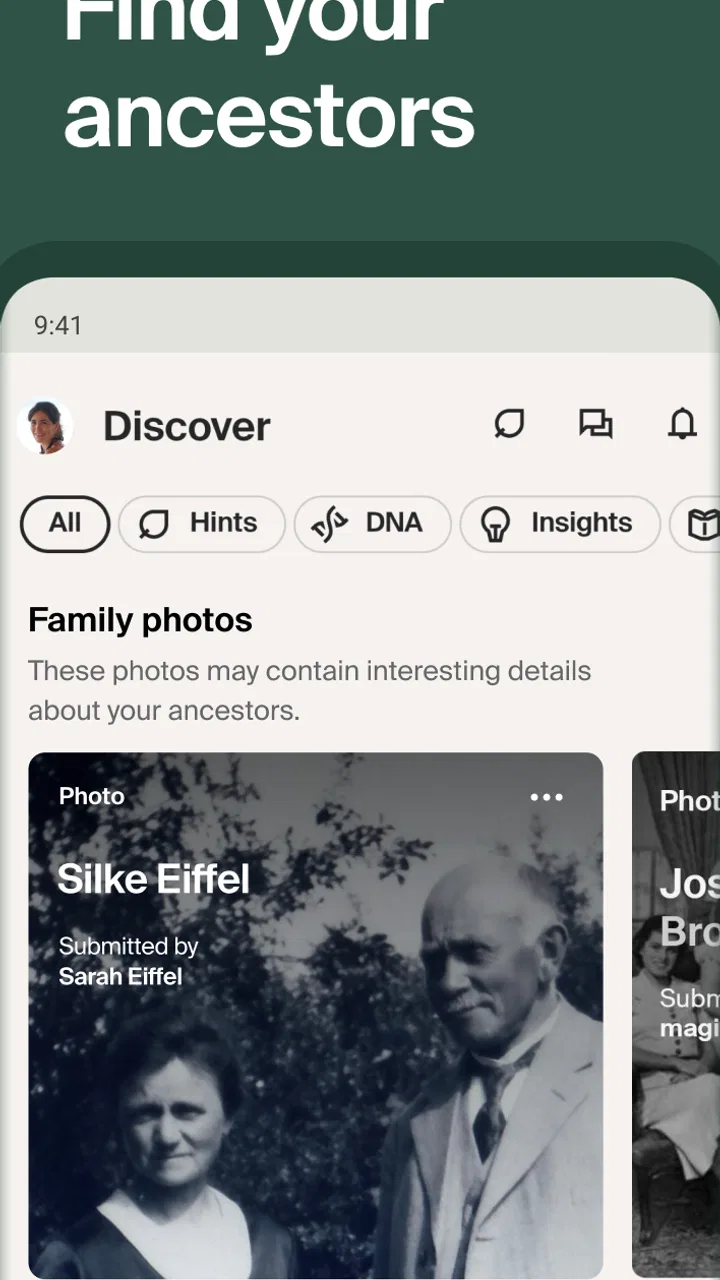
I came away from Ancestry: Family History & DNA thinking of it less as a simple family-tree builder and more as a way to turn scattered memories into a research project I could actually manage. The central capability is connecting people, documents, and possible relationships in one place. That sounds straightforward, but it changes the experience: instead of keeping names in a notebook and searching archives separately, I could start with one person and follow the evidence outward.
That makes this a particularly interesting family history app for anyone who has a few names, an old photograph, or a story passed down by relatives but does not know what to do next. It is free to install, aimed at Everyone, and developed by Ancestry.com. The app has been available since November 2, 2011, and its current version is 18.2. It belongs in Books & Reference, although I found it feels closer to a research workspace than to a conventional reading app.
Following one ancestor instead of collecting random names
The strongest idea here is the family tree itself. I found it much easier to stay focused when I treated one person as the starting point rather than trying to build an impressive tree immediately. I could enter what I already knew, connect relatives, and then use the resulting structure to decide which missing detail mattered most. A birth location, a spouse’s name, or an approximate time period can be more useful than adding several guesses at once.
You May Also Like

 Blood Strike: 2.5 Anniversary
Blood Strike’s Loadouts Turn Every Drop Into a Tactical Gamble
A close look at Blood Strike’s custom loadouts: how fast access to signature weapons reshapes its battle royale rhythm, rewards preparation, and narrows the gap between fights.

 Pandora - Music & Podcasts
Pandora’s Music Is Easy to Start, but Harder to Recover
Pandora’s strength is its low-effort path from a seed to a station. Its weak spot is how much confidence it asks you to place in connection, setup, and quiet recovery.

 8 Ball Pool
 Is Built on Rivalries, Rematches, and Routine
A close look at the rivalries, rematches, shared routines, and unanswered safety questions that turn a quick pool match into a persistent mobile community.

 Samsung Music
’s Quiet Strength Is Playing What You Already Own
Its reach comes less from spectacle than from dependable access to a personal library. That simplicity is both the app’s strongest retention engine and its ceiling.

 AccuWeather: Weather Radar
AccuWeather Review: A Quick, Clear Forecast for Everyday Decisions
For everyday plans, the best forecast is the one you can understand quickly. AccuWeather makes rain timing, radar, and local conditions easy to act on, with a few trade-offs.

 Hill Climb Racing
Why Hill Climb Racing Still Turns Crashes Into One More Run
A tiny car, a bumpy hill and one more upgrade: Hill Climb Racing keeps resurfacing because its simple chaos makes every near-miss feel personal.
More From Our News Desk



This approach also exposes weak links. A family story may say that someone moved from one country to another, but the tree makes me ask which person, which generation, and which record might support it. That is the real value of the app’s core capability: it gives vague family knowledge a shape that can be checked and improved.
The experience is not limited to names and dates. The app is designed around family history, heritage, origins, and DNA discovery, so it can appeal both to people who enjoy traditional genealogy and to users who are curious about where their family came from. I would still separate those interests in my own research. A DNA result can suggest a direction, while a document or a relative’s firsthand memory may explain the actual relationship. Treating every hint as proof is the fastest way to create a confident-looking but unreliable tree.
One useful habit is to label my certainty mentally, even when the app presents information neatly. I keep direct knowledge, family recollections, and discoveries from records in different categories in my notes. That prevents a tempting suggested connection from becoming “fact” simply because it fits the story. The tree is most valuable when it helps me test a story, not when it merely makes the story look complete.
What using it feels like day to day
I would begin with a small branch: myself, a parent, a grandparent, and any known details. From there, the app’s workflow becomes more useful because each new person creates a question. If I know a grandparent’s full name and approximate birthplace, I have a practical starting point. If all I have is “someone with a common surname lived in the area,” I would expect much more checking before accepting a match.
The mobile format works well for short sessions. I can make a correction while speaking with a relative, add a remembered place, or review a possible lead without opening a laptop. That convenience is more important than it sounds. Genealogy often advances in small moments: a family member remembers a maiden name during dinner, or an old envelope reveals a town that nobody had written down. Having the tree available means those details do not have to wait for a dedicated research session.
At the same time, a phone screen is not ideal for comparing many records or keeping several timelines visible. When research becomes complicated, I prefer slowing down, writing down the evidence, and checking each person carefully rather than tapping through suggestions quickly. The app is excellent for capturing momentum; it is less comfortable as the only place for deep analysis.
That distinction answers an important practical question: can a beginner use it without already understanding genealogy? Yes, for building a starting tree and learning how family connections fit together. But the app cannot replace judgment. Names repeat, locations change, ages can be inconsistent, and two people with similar details may be unrelated. Beginners will get better results if they treat suggestions as invitations to investigate instead of automatic answers.
A realistic family-history scenario
Imagine I am visiting an older relative who remembers that her mother had a sister but cannot recall the sister’s married surname. During the conversation, I could open the tree, review the known family group, and add the maiden name or birthplace that emerges. Later, I could use that new clue to search for records and compare the possible household with what the relative remembers.
The important part is the sequence. I would not start by searching the entire internet for a surname. I would first preserve the information in context: who supplied it, which generation it belongs to, and whether it is certain or approximate. Then I would investigate one relationship at a time. This reduces the chance of attaching an unrelated person simply because the name looks familiar.
That workflow also makes the app useful for family conversations, not just solitary research. Showing a relative a compact branch can prompt memories that a blank page would never produce. A photograph may suddenly be identified, or a place name may be corrected. I found that the tree acts as a visual prompt: it helps people notice what is missing and remember details in response.
For someone preparing a family-history project, I would recommend choosing a clear stopping point for each session. For example, the goal might be confirming one parent-child relationship or recording one previously unknown location. Without that boundary, it is easy to follow attractive leads for an hour and finish without knowing which information is dependable.
Where DNA discovery fits into the picture
The DNA side gives the app a different entry point. Some people begin with records and later explore genetic clues; others start with curiosity about heritage and origins. I see the DNA capability as most useful when it opens questions that can then be examined through the tree. It may encourage someone to investigate a branch that family stories overlooked, but it should not be treated as a complete explanation of identity or family history.
There is also an emotional tradeoff. Discovering unexpected ancestry or an unfamiliar connection can be exciting, but it can also raise sensitive questions. I would recommend thinking beforehand about what kinds of information I am ready to explore and discussing the possibility of surprises with close relatives. The app can organize discoveries, but it cannot decide how a family should interpret them.
For users mainly interested in ethnicity estimates, a dedicated DNA service may feel more focused. For users who want to connect genetic curiosity with names, relationships, and historical research, this broader environment makes more sense. The choice depends on whether the family tree is the destination or merely a background detail.
The tradeoff between a free start and deeper research
The app is free, which makes it easy to begin without committing money at the download stage. That is a genuine advantage because genealogy is a hobby I may or may not continue. I can test whether entering relatives, checking clues, and organizing research suits me before deciding whether I want more.
However, the broader experience includes in-app purchases ranging from $0.99 to $169.99 per item. I would therefore approach it as a free starting point rather than assuming every research path will remain free. Before paying, I would decide what specific question I am trying to answer and whether the purchase is likely to provide evidence rather than simply more possibilities. A large tree is not automatically a well-supported tree.
This is where the app differs from free note-taking tools and ordinary spreadsheet templates. Those alternatives give me complete control over my notes and do not push me toward a particular research path, but they also lack the family-focused structure that makes relationships easier to follow. A spreadsheet can record names; it does not naturally show how a new detail changes the surrounding branch. An ordinary notes app is flexible, yet I have to design the system myself.
On the other hand, a specialist genealogy website or archive may be preferable when I need a larger screen, more deliberate document comparison, or a research process built around one specific collection. I would use this app for continuity between conversations and research sessions, then move to a more spacious setup when the evidence becomes dense. It works best as the center of an ongoing project, not necessarily as the only tool.
Small habits that make the tree more reliable
My first practical tip is to enter the known branch slowly. Adding every possible relative at once feels productive, but it makes errors harder to locate. I would begin with the people I can verify through family knowledge, then expand only when a new clue has a clear connection. This also makes it easier to notice when a proposed relationship conflicts with an age, location, or family story.
Second, I would record alternate spellings and place names in my working notes. Historical names may appear differently across records, and modern locations may not match the wording used by an older relative. Searching only one spelling can hide a useful lead; accepting every spelling as the same person can create a false match. The app helps organize the people, but I still need to think like an investigator.
Third, I would take screenshots or write a brief research note before making a major correction. A clean tree is satisfying, but genealogy is full of uncertainty. Keeping a short explanation of why I changed a relationship makes it easier to reverse the decision later. This is especially helpful when several relatives share a first name or when a family story has been repeated for years without documentation.
A fourth habit is to use conversations as evidence-gathering opportunities rather than quizzes. Instead of asking an older relative to remember an exact date, I would ask about places, jobs, siblings, nicknames, and routines. Those details can distinguish one person from another. The app’s visual structure makes it easy to follow up immediately, but the quality of the result still depends on the questions I ask.
Who will get the most from it
I think the best match is someone who wants a guided way to organize family research and expects to return to the project over time. It is also a strong fit for families who want to collaborate informally: one person can remember names, another can identify photographs, and someone else can investigate records. The mobile access makes the project feel less isolated than a folder of documents stored on one computer.
It is less suitable for someone who only wants a quick, definitive answer about heritage. Family history rarely works that way, and the app can produce more questions than answers. It is also not my first choice for a user who dislikes subscriptions or in-app purchasing models and wants every research function included in one upfront payment. In that case, a personal archive system or a more narrowly focused reference tool may feel more predictable.
People who are highly privacy-conscious should also think carefully before starting a family project involving living relatives or DNA-related discoveries. I would discuss boundaries with family members before entering sensitive details, particularly when the information could affect someone else’s story. That is not a criticism of the interface; it is a responsibility that comes with handling personal family information in any digital service.
The app has earned a 4.6 average from around 173 thousand ratings, with over 10 million installs and roughly 31 thousand written reviews. Those figures suggest that it has reached a wide audience, but they do not change my main advice: popularity is not a substitute for a clear research goal. The experience becomes much more rewarding when I know which branch I am exploring and what would count as convincing evidence.
My recommendation after using it
I would recommend Ancestry: Family History & DNA to a friend who has always wanted to investigate family history but needs structure to begin. Its central strength is not simply storing relatives. It turns a collection of names into a sequence of questions, and that makes it easier to keep going after the first few discoveries.
I would start with the free version, build a modest and carefully checked branch, and spend time learning which clues are genuinely useful before considering any purchase. I would also keep independent notes for uncertain relationships and important sources. That combination gives me the convenience of the app without handing over all of my judgment to automated suggestions.
For casual curiosity, it may be more involved than necessary. For a serious researcher, it may need to be paired with a larger-screen workflow and separate evidence notes. But for the person in between—someone who wants to explore grandparents, origins, DNA connections, and family stories from a phone—it offers a practical place to begin. My final view is favorable, with one condition: use it as a research companion, not as an authority. The more carefully I question each connection, the more meaningful the finished family tree becomes.
FAQs for Ancestry: Family History & DNA
01What features does the Ancestry app offer for exploring family history?
The Ancestry app provides a comprehensive suite of tools to explore your family history. Users can access historical records, build family trees, and connect with relatives. The app also offers DNA testing options to uncover ethnic backgrounds and potential relatives. With its user-friendly interface, you can easily navigate through records and manage your family tree on the go.
02How does the DNA testing process work with the Ancestry app?
The DNA testing process begins by ordering a DNA kit through the Ancestry app. After collecting your saliva sample and sending it back, you’ll receive results in about 6-8 weeks. The app then provides insights into your ethnic origins and potential DNA matches with other users, enhancing your family history exploration.
03Is the Ancestry app free to use, or are there subscription fees?
The Ancestry app itself is free to download, but accessing its full range of features typically requires a subscription. Users can explore limited features for free, but subscriptions unlock extensive historical records, advanced family tree building tools, and detailed DNA insights. Various plans are available to suit different needs and budgets.
04Can I collaborate with family members on my family tree within the app?
Yes, the Ancestry app allows collaboration on family trees. You can invite family members to view and edit your tree, making it a shared project. This feature is invaluable for gathering information and verifying details, ensuring a more accurate and comprehensive family history compilation.
05How secure is my personal information on the Ancestry app?
Ancestry takes privacy and security seriously, employing robust measures to protect your data. The app uses encryption to safeguard personal and DNA information. Users have control over their privacy settings, allowing them to decide what information they share and with whom. Regular audits and compliance with data protection regulations further ensure user security.
Pros
- Comprehensive family tree builder.
- Access to historical records.
- DNA insights for ethnicity.
- User-friendly interface.
- Regular updates and improvements.
Cons
- Subscription required for full access.
- DNA tests sold separately.
- Limited offline access.
- Some records may be inaccurate.
- Privacy concerns with DNA data.

Ancestry: Family History & DNA
Gallery